> For the complete documentation index, see [llms.txt](https://docs.inhousequeue.xyz/docs/llms.txt). Markdown versions of documentation pages are available by appending `.md` to page URLs; this page is available as [Markdown](https://docs.inhousequeue.xyz/docs/features/promotions.md).
# Role Promotions
Role Promotions automatically grants players a Discord role based on their current MMR, and swaps it out for a different role as their MMR crosses the thresholds you set - like a competitive rank ladder, but using your server's own roles.
### Key Features
* **Ladder model**: a player holds exactly one promotion role at a time. Crossing into a new bracket removes the old role and grants the new one - roles never stack up.
* **Per-queue or Global brackets**: set thresholds for one specific queue channel, or apply them across every queue for a game at once.
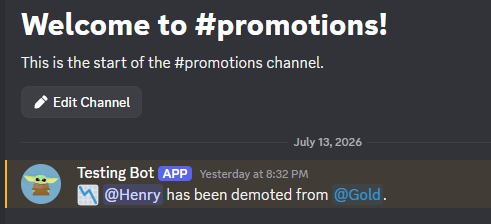
* **Announcement channel**: optionally post every promotion/demotion to a channel of your choice.
* **Player DMs**: optionally DM players directly when they're promoted or demoted.
* **Always up to date**: brackets are re-checked automatically after every game, admin MMR adjustment, MMR reset, and even when a server switches between Flat and Dynamic MMR modes - so a role never goes stale.
{% hint style="info" %}
When you set an announcement channel, InHouseQueue checks it can actually post there right away and lets you know immediately if it can't - rather than you finding out only when the first promotion silently fails to announce.
{% endhint %}
### How it Works
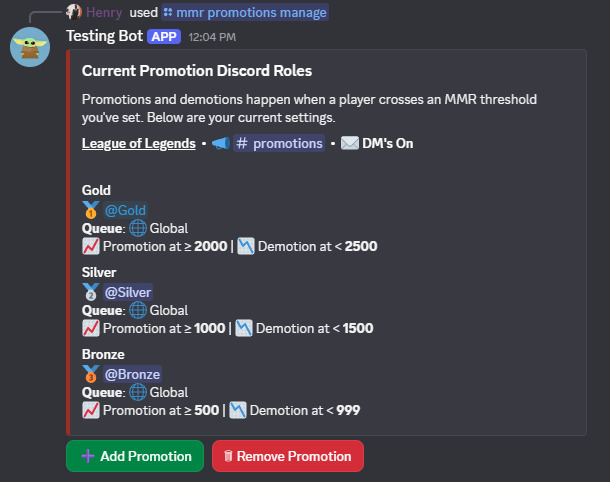
1. Open the promotions manager with `/mmr promotions manage`. This shows every bracket currently configured for your server.
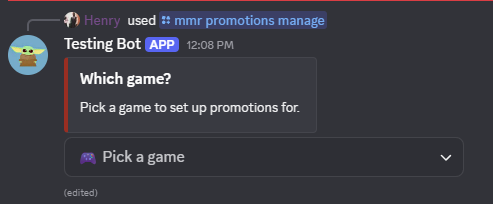
2. Select **Add Promotion**, then choose the game the bracket applies to.
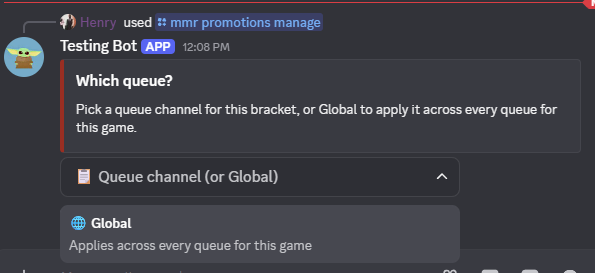
3. Choose a specific queue channel, or **Global** to apply the bracket across every queue for that game.
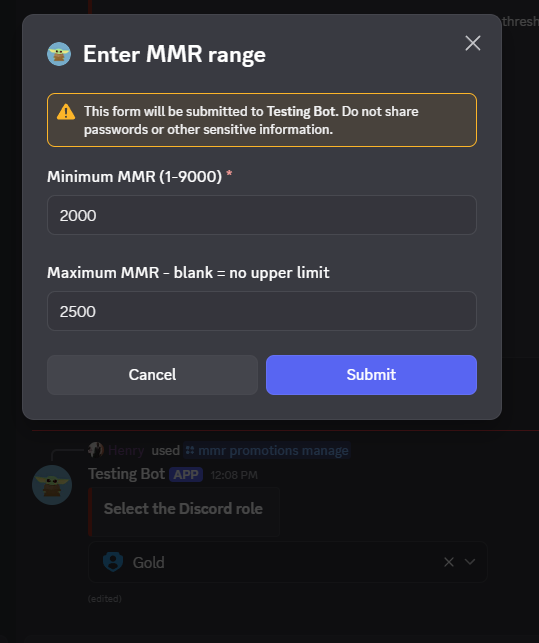
4. Pick the Discord role to grant, then set the minimum (and optionally maximum) MMR for that bracket. Leave the maximum blank for an open-ended top bracket.
5. Repeat for as many brackets as you'd like (up to 10 per queue) to build out a full ladder - e.g. Bronze, Silver, Gold.
6. Set an announcement channel with `/mmr promotions channel`, and turn player DMs on or off with `/mmr promotions dm_players`.
Once configured, promotions happen automatically - no further action needed. The next time a player's MMR crosses a bracket boundary, their role updates on its own.
{% hint style="warning" %}
Make sure the bot's role is positioned **above** any promotion roles in your server's role list, or it won't have permission to grant/remove them.
{% endhint %}
***
See the full command reference in [MMR commands](/docs/commands/mmr-commands.md).